





Claris released FileMaker 2026 with many new features. Vince Menanno and I have each picked our top favorite features and discussed them in two live streams. Check what we've found to be the most valuable additions to the new version and let us know what has the greatest value for you.
We agreed that each of us would pick his top 6 favorite new features to talk about. Our first session was Vince sharing his favorites. See the live stream recording below:
I discovered we had two of the favorites in common, so for the next session I added two more, which I found generally valuable from business perspective, and one bonus contributed by my customer:
So here's the list of all the 13 features we talk about, not necessarily ordered by value...
Custom field display names
This is one of both mine and Vince's favofites and it's actually the very first new feature I actually used. Like most of the cmmunity I have always struggled between naming conventions for fields that would be meaningful for both the developer and the end-user. For maintainability reasons, "meaningful for developer" usually wins. But it's at the cost of a lot of extra work when we need to present the field names to the user as well. We have to provide custom lists and then map the custom items back to the real fields. Or build an intermediate table that uses the user-friendly names. Now, with FileMaker 2026, this issue is over.
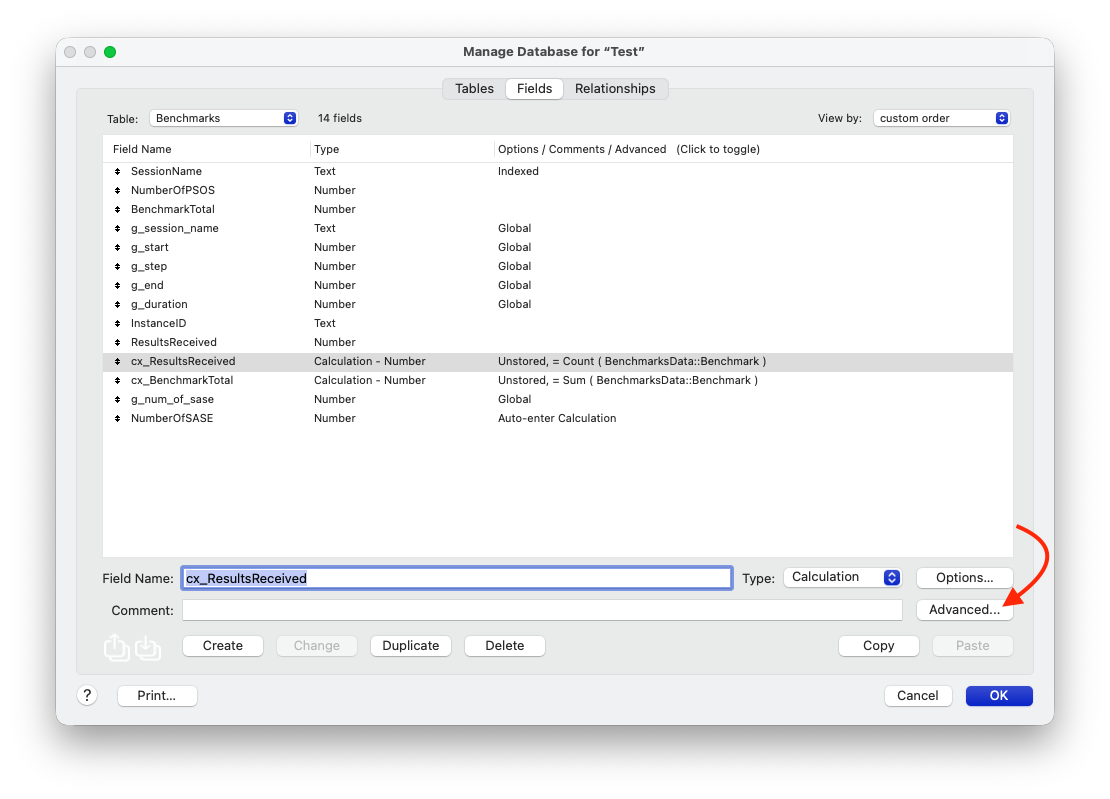
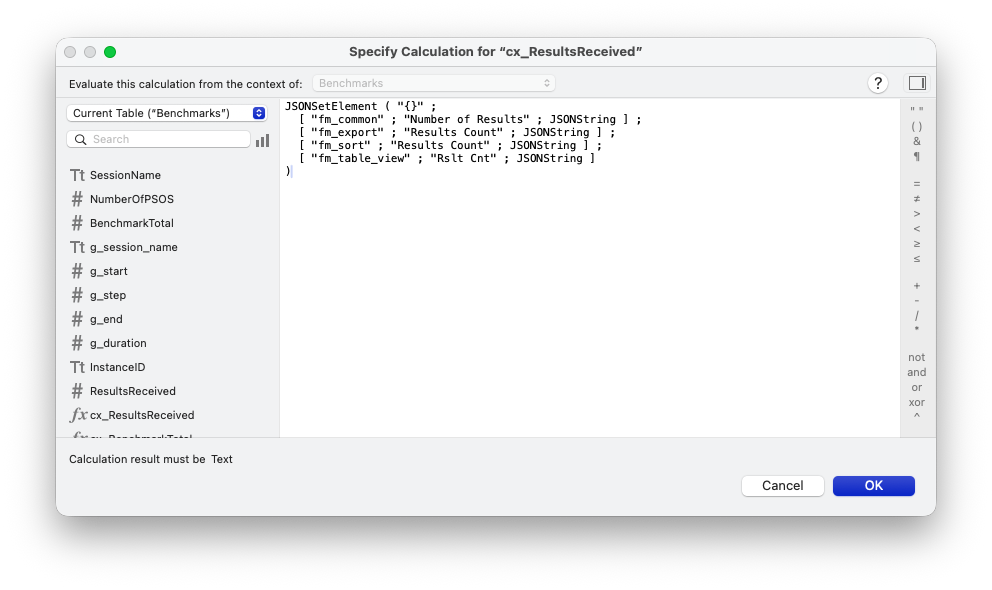
We can customize what a field will be named in layouts, table view, sort dialogs, export dialogs, or exported as collumn names when exporting records to Excel. We can add additional custom names as well, still stored in the database schema, and retrieve them as needed, such as for field labels or placeholders in different languages. The only caveat remaining is that custom field names are not (yet) supported in import dialogs...
Field Annotations for AI
As artificial intelligence is getting more and more integrated into FileMaker, we now have an intuitive way to describe the purpose of each field for large language models. Until the previous version, we had to add field comments and prefix them with [LLM]. Now we've got an intuitive dedicated dialog and field for it and the annotations added there automatically appear in the DDL.
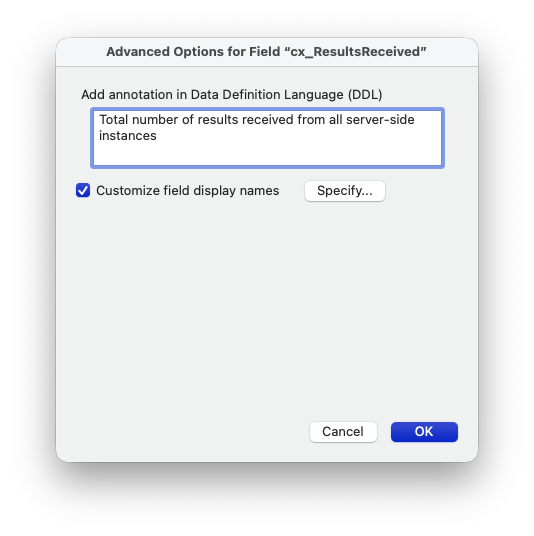
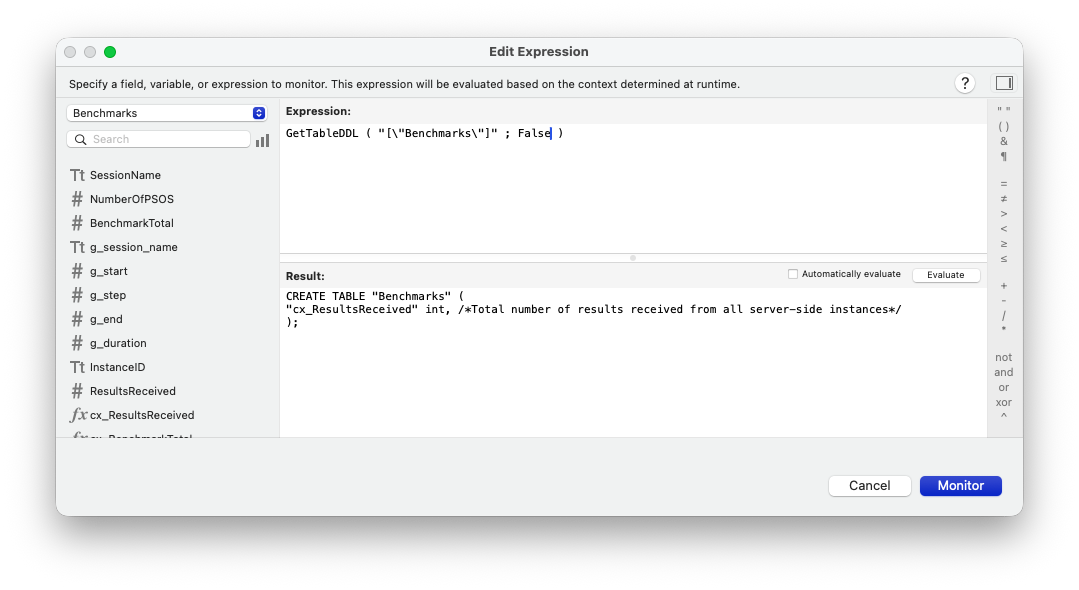
This is especially useful for features like performing find by natural language where the AI needs to understand your database structure. If you have not tried this yet, I suggest you check the Best practices for database schema in DDL and SQL query generation first.
Persistent Storage
When I saw this feature first I was a bit skeptical and thought we would still have to find how when and how it would make sense to use it. Now I have to admit it was the very second new feature of FileMaker 2026 I actually used. Fabrice Norman likes to say that FileMaker works with three kinds of storage - data, indexes and schema. I would personally add external containers ad the fourth. The point is that whatever is stored in the schema survives data migration. It's intended to contain the functionality of an app, the business logic, the data structure, but not the data itself. Until this version, there was only one thing, stored in the schema, which was programmatically modifiable - the next serial value for fields with auto-enter options set to generate serial values.
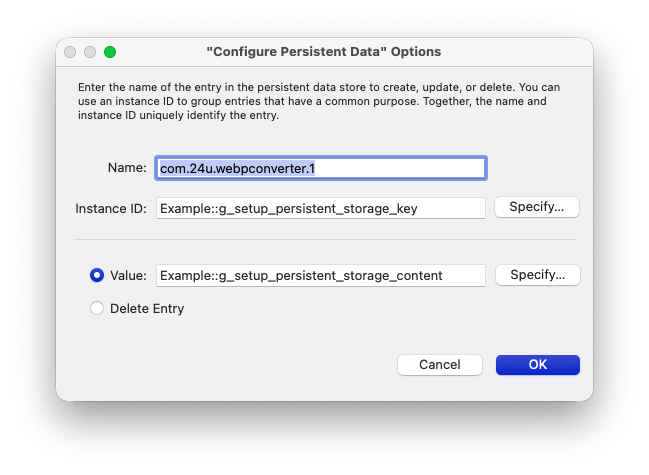
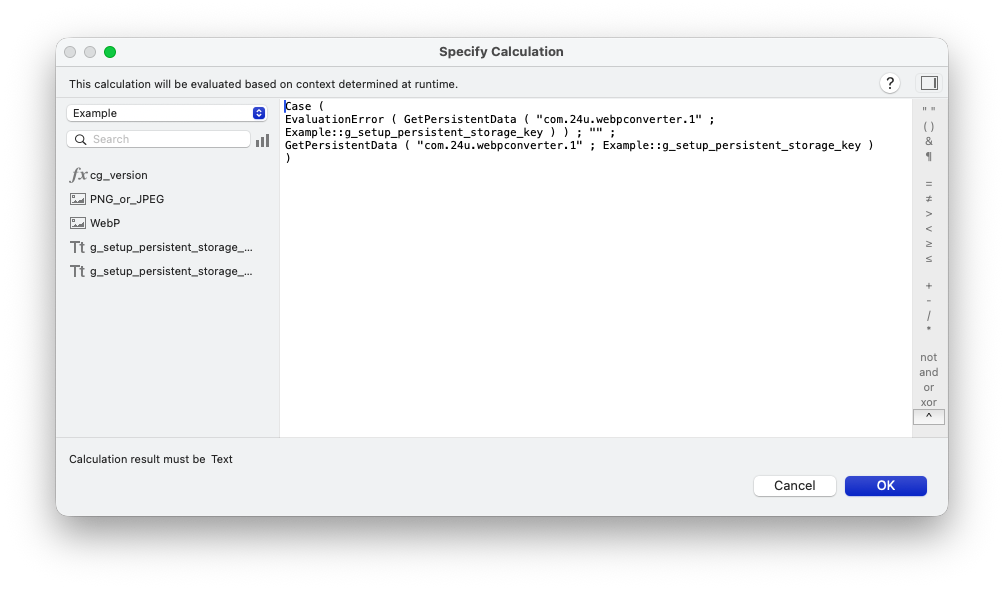
With the new persistent storage feature we can create identifiable data containers stored in the schema. Each store is identified by two values, one of which is hard-coded in the script and the other one can be calculated on the fly. This can be useful for storing JavaScript libraries to use in Web Viewers, user preferences or even globals that need to survive for the next session. I am sure many new ideas of how to use this feature are going to appear,
Get ( WindowUUID )
One of my favorite features of FileMaker on Mac, which has not always been equally good on Windows, is to open multiple windows of the same database. Unfortunately, some techniques become difficult to implement correctly for multiple windows, such as anything bassed on global fields. That's because any global field is shared by all windows. So then I use it as a selector of a record(s) to show over a relationship and change it in one window, any other window showing the same layout will change as well.
Although adding the Get(WindowUUID) function may seem like a simple addition, it's a huge game changer because now we can have a separate set of global values for each window, for example by storing them in a JSON structure indexed by the window UUID.
Another important use case is when a script opens temporary (or even permament) new windows and needs to switch back to the original window at some point. I used to set window names to Get(UUID) in order to reliably switch to the right window but that did not look nice to the user. The ability to get an internal UUID of the current window and switch to a window by its UUID helps to solve this problem in an elegant and reliable way.
Multiple FMSE instances
One feature specifically targeted at high-powered servers is the ability to have multiple scripting engines running simultaneously on FileMaker server. You will only get it offered if your server has sufficient processor cores and RAM, but if you do, you can get utilize this to get more work done by the server within fixed amount of time than with previous versions, taking better advantage of the server power. This is yet another step towards making FileMaker Server able to leverage all the processing power of the hardware it's running on.
If you're interested, you can watch the recording of the FMTraining.tv live stream session I dedicated to this new feature:
FMUpgradeTool --generateDBFile
Easy to overlook but extremely powerful addition to one of the command line tools distributed with FileMaker Server is the ability to re-buld a FileMaker database from its XML representation. The basic workflow explained is saving FileMaker database as XML and then using this tool to re-build it. One huge benefit I have been waiting for very long is that whatever is re-created from the text representation this way should be free of corruptions. So if you don't use any of the less commonly used feature which are not supported by this feature yet, and you have an old database file that got corrupt multiple times in the past, there is a chance you could finally fix it without having to re-create it from scratch manually.
Another big thing is that XML is a structured text format, you you can modify it or even create from scratch using automation tools and large language models. So it's actually one of the most important features making agentic development of FileMaker solutions possible.
Custom zoom level
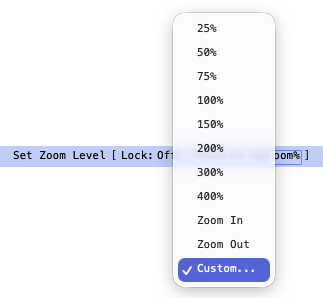
Have you ever wanted to be able to zoom your layout in a little bit only to find out that while 100% zoom level is too small, 150% is too large already? Now, with FileMaker 2026, you can set the zoom level to any number from 25 to 400. No more need to spend so many hours to design an extra copy of each of your layout for visually impaired users...
Object name parameter in GetRecordIDsFromFoundSet
By giving us Go to List of Records and GetRecordIDsFromFoundSet, FileMaker 2025 opened a huge can of worms, turning challenges like back/forward navigation from way too difficult to implement to a "piece of cake". Today, we can navigate to related or stored list of records in a fraction of second and without a single query to the server. We can reveal related records without even building a relationship.
FileMaker 2026 takes us even farther with this, making us able to specify an object name to take the found set from. When the named object is a filtered portal, we get the filtered list of record. Something that has not been possible at all.
Export Field Contents on Server
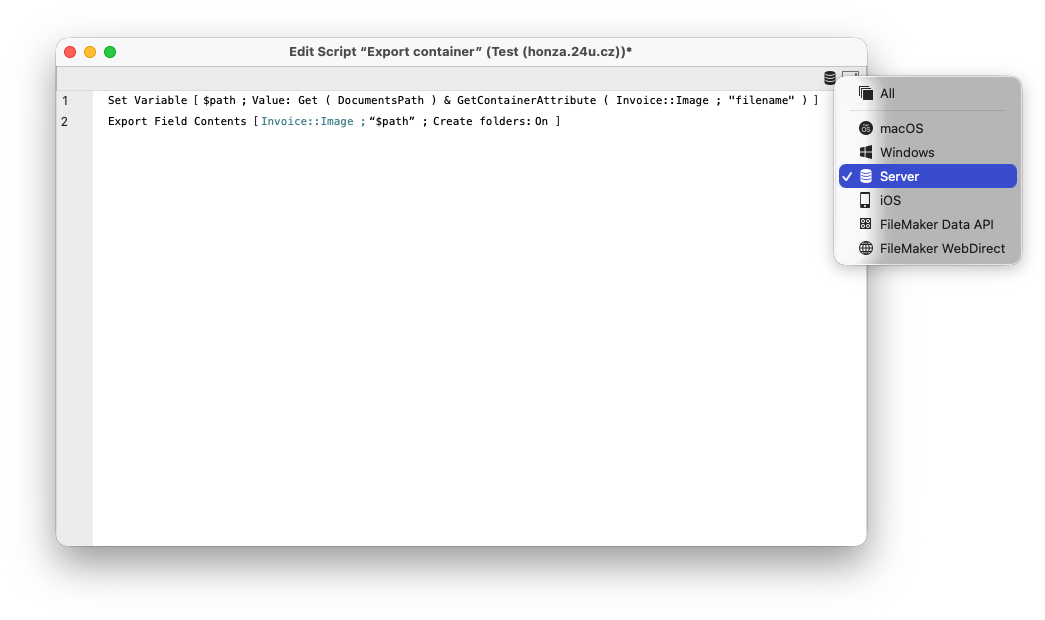
Exporting container contents with the Export Field Contents script step has been limited to the client for a long time. When the data file script steps got added, we started being able to export containers on the server, but the implementation was quite complicated, consisting of multiple script steps and easy to make mistakes. So I am sure many people will like that now, with FileMaker 2026, we can export containers on server with a single script step just like on the client.
Save a Copy as XML changes
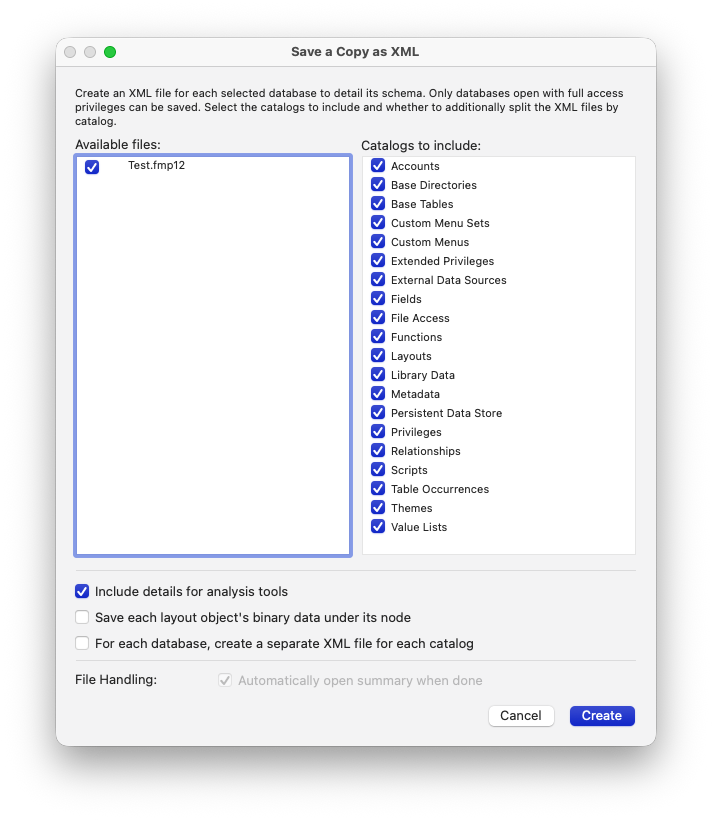
DDR is dead, long live XML export! Finally since the first announcement with FileMaker 16, we can now export FileMaker databases as XML while being able to set various options depending on what we're going to use the XML for. Crucial not only for the above mentioned feature of the FMUpgradeTool, but also for growing range of analysis tools and feeding data about database structure to AI, significantly upgraded Save as XML is available from both the Develop menu and the Save as XML script step.
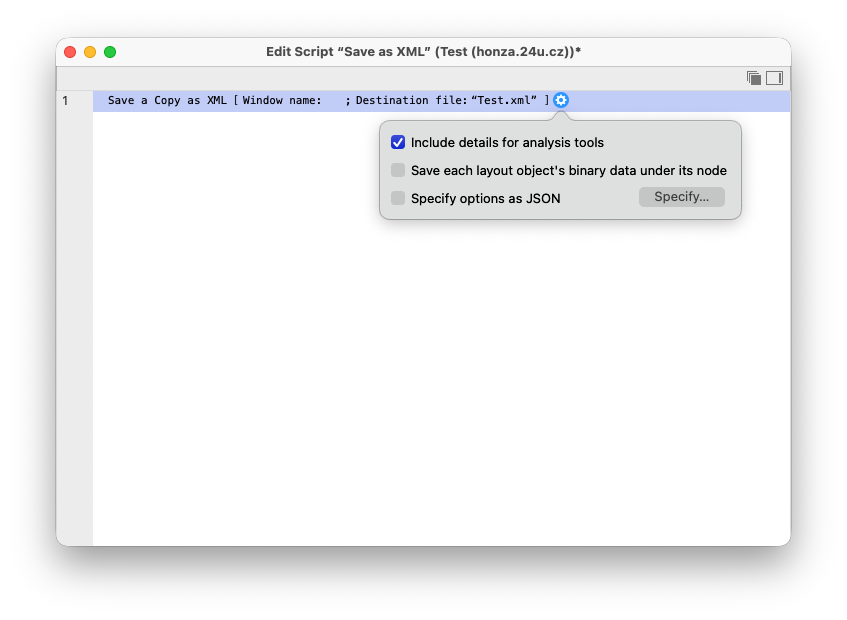
Beware one trap: when you enable Specify options as JSON in the script step and leave the "include_details" option set to False as default, the saved XML will be missing the details for analysis tools even if you have the option enabled by the provided checkbox.
Standby Server
How long can you afford to wait for your databases to be up and running on a new FileMaker server when the current one dies? Standby server is back as a paid add-on to your license, but more reliable, easier to set up and more efficient than it used to be in FileMaker Server 18. Internally based on the progressive backup principles, all your commits can be automatically replicated to an additional FileMaker Server, connected to the same local network and ready to take over when the primary server faces a disaster. The switchover is a manual action but can be done within a minute and all your databases automatically pick up where the latest progressive backup left them.
Remote Backup
Another paid add-on from Claris is their own managed storage for your off-site backup. If we take care of your server as part of our service level agreement, you don't have to worry as we are already taking care of creating and maintaining off-site backups for you. For everyone else, the new add-on is the easiest way to keep an extra backup of all your databases that is guaranteed to be stored far enough from your main server to survive even physical disaster of your data center, such as fire or flooding.
WebP image format support
Last, but not least, as a bonus I initially almost overlooked, let me emphasize a new feature that my customer and friend Dean Bedford told me about. FileMaker 2026 now natively supports the WebP image format in container fields. First announced in 2010, WebP is supported by all major browsers and graphical editors today. It supports all the necessary features like JPEG and PNG, such as lossless compression, lossy compression and transparency. But most importantly, WebP's byte size is almost alwas significantly smaller than corresponding JPEG or PNG with matching quality.
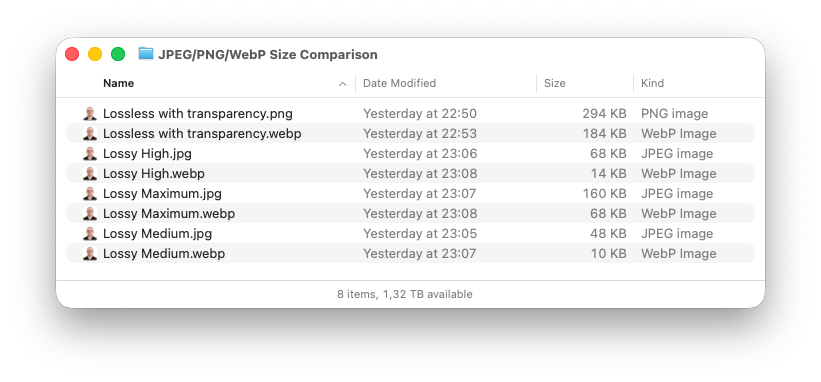
Not only makes that the images to load faster over network, it will make your backups significantly smaller, faster to make and cheaper to store.
Summary
FileMaker 2026 is a major upgrade from many perspectives. The features listed here are not the only ones the new version brings, but they are among those that I consider worth upgrading. How about you? What are your favorite improvements? And which one are you going to use first? If you hesitate or are too busy trying to get rid of your huge backlog, let us know. We're here to help.