




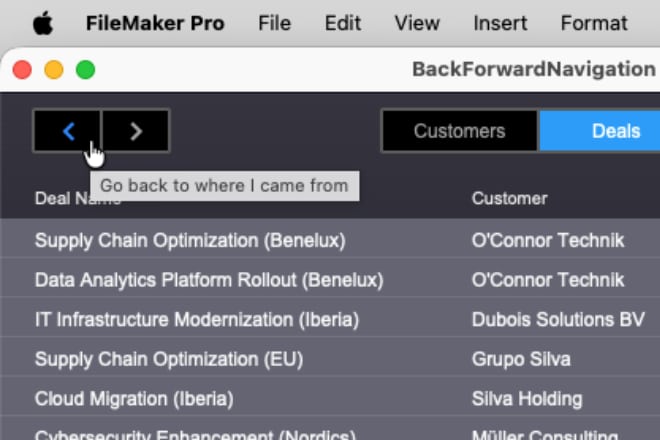
You’ve worked for weeks (or months) to deliver the best FileMaker solution ever. You’re demoing it to the client when they ask for “just one last small improvement”: “Can you add a Back button to the navigation, like web browsers have?” You start sweating, your mouth goes dry, and you freeze. One minute starts feeling like an eternity. Then, very carefully, you respond: “Oh, well, um… sure, but it’s going to take at least another week, because I’ll have to redesign the navigation from the ground up.” Sound familiar?
What if I told you FileMaker 2025 has changed the game, and you can add a Back button in just a few minutes? Let me show you how I did it...
As a user, what do I expect from a Back button? After going from place A to place B, I want to go back to exactly where I came from. By “place,” I mean context: layout, found set, sort order, view mode, and current record.
To make that possible, I needed three abilities:
* Remember the current context before changing it
* Restore a saved context
* Know that my context is about to change before it actually changes
Remembering the current context
Remembering and restoring context became a lot easier with the release of FileMaker 2025. To store the current context, I can use the new calculation function GetRecordIDsFromFoundSet. To restore context, the new script step Go to List of Records becomes the key tool.
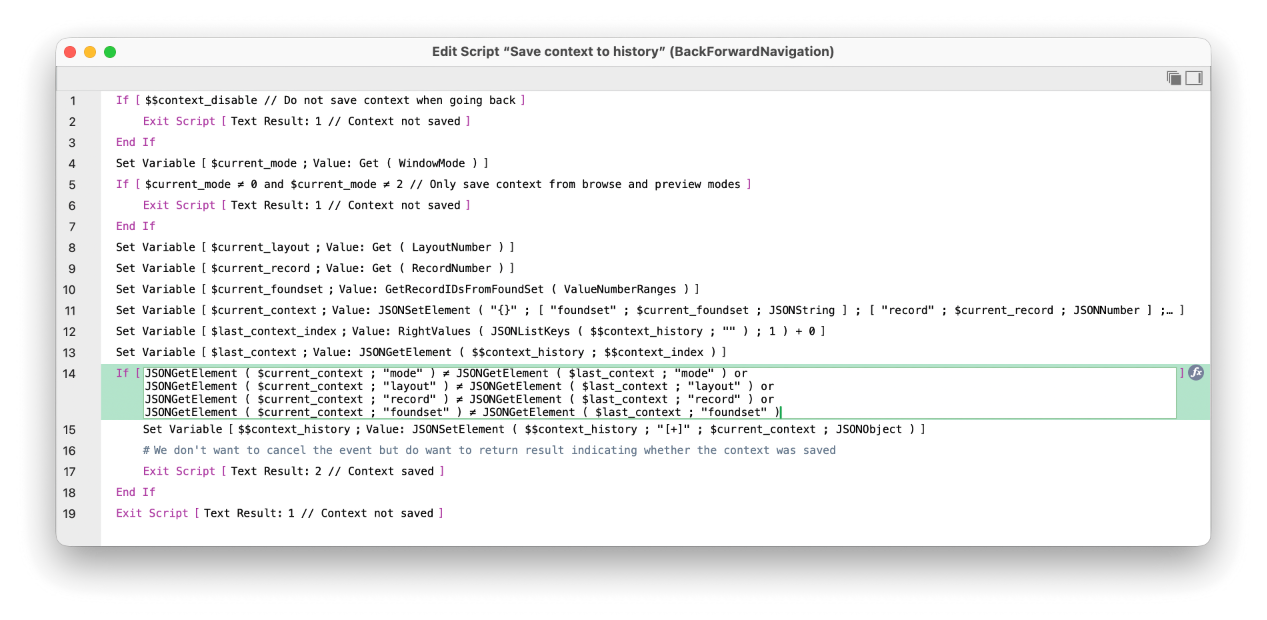
GetRecordIDsFromFoundSet returns the list of internal record IDs from the current found set—already ordered by the current sort order. It can return the list in five different formats. I chose ValueNumberRanges because it has the smallest memory footprint. Along with the found set, I also store the current layout number, window mode, and current record number.
To support multiple “Back” steps, I store my full navigation history as a JSON array. To avoid creating unnecessary history entries when nothing really changed, I only store a new context when it differs from the most recently stored one.
Triggering the save before the context changes
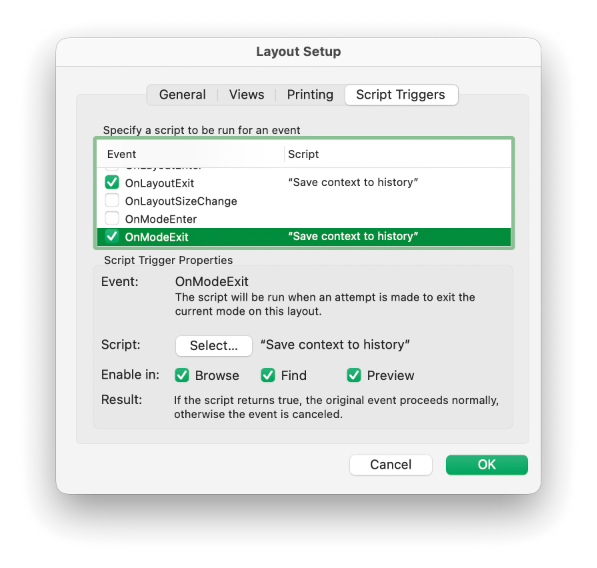
To make this work, I set this script as an OnLayoutExit and OnModeExit script trigger on every layout where I want the context to be remembered.
Note that when I compare the current context with the last saved one, I compare individual context attributes separately. I could compare the two JSON objects directly, but JSON key order isn’t guaranteed, so comparing individual values is safer.
Handling sort order changes is a bit trickier. For the sake of simplicity, I decided to ignore sort changes and only remember the last sort order before leaving the layout (or otherwise changing the found set).
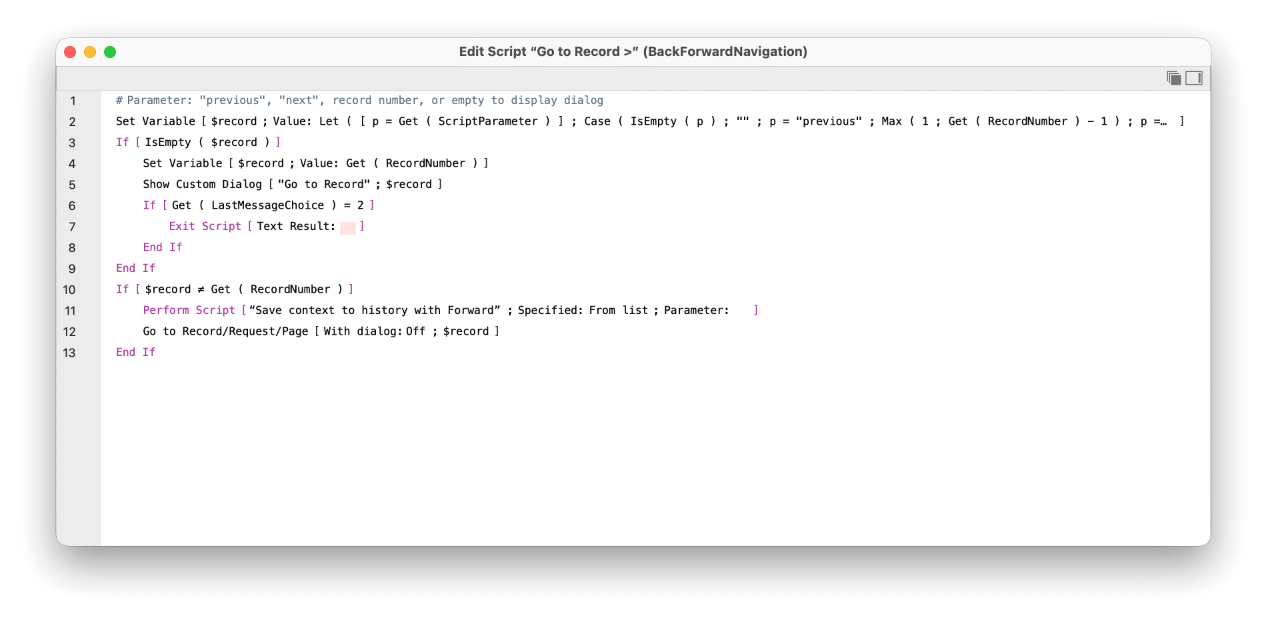
I did want to be able to undo record switching, though. Unfortunately, there is no OnRecordExit script trigger, so I added a custom menu that overrides the Go to Record submenu.
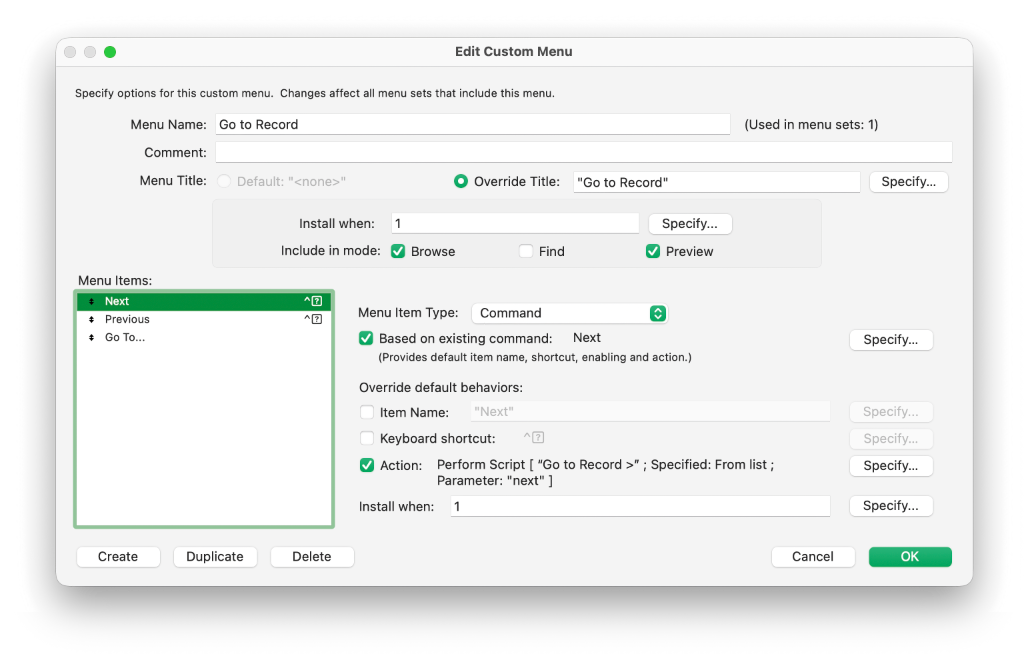
I mapped all three menu commands to the same script, using three different parameter values. In the script, I first save the current context to the history, and then go to the previous, next, or custom record based on the parameter.
Restoring saved context
When the user clicks the Back button, I can take the last saved context, remove it from the context history, and restore it using the Go to List of Records script step:
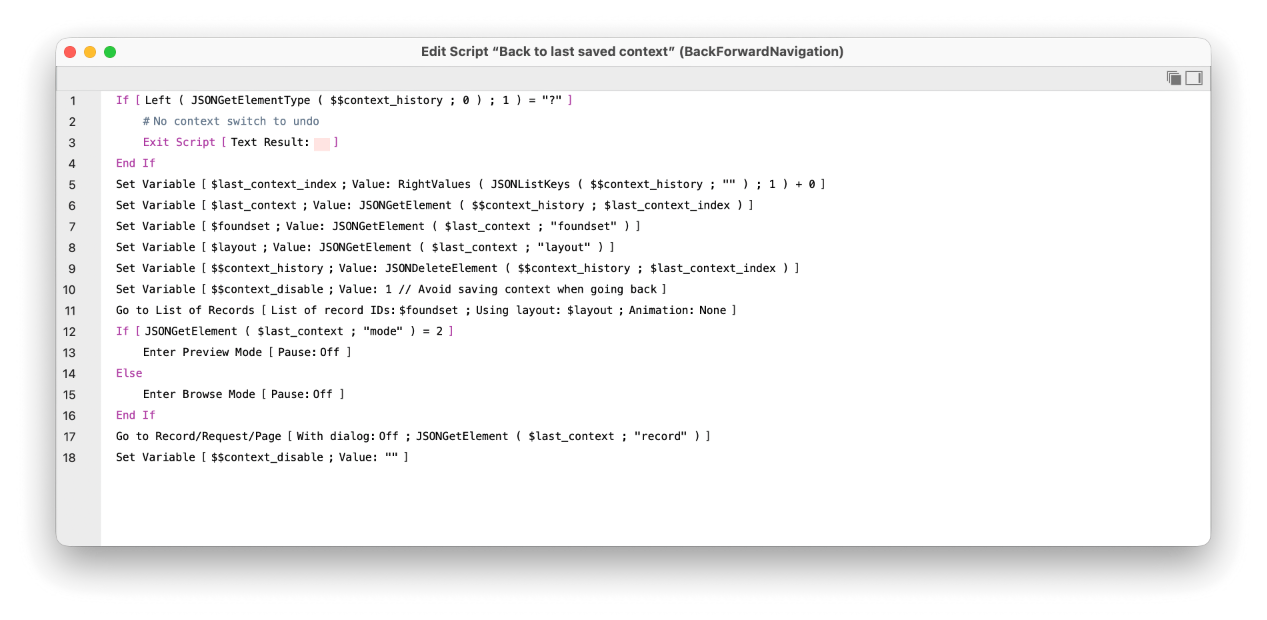
The script first checks whether there is anything to restore. If there is, it takes the last element from the $$context_history array, removes it from the array, and restores the found set and layout with a single script step. Restoring the window mode and jumping to the correct record takes additional steps.
Adding support for a Forward button
Once I had a working Back button, adding a Forward button was straightforward. I just needed to change the logic so the forward history isn’t deleted until it gets overwritten by a new context change. I added one more global variable to track my current position within the history. Moving back decrements the current position variable, moving forward increments it, until it reaches the end of the history array.
My first implementation of the Back button took me less than five minutes when I built it during my joint FMTraining.tv live stream with Vince Menanno about the Go to List of Records script step. But I admit I forgot to account for switching the current record back then. This time, doing it properly for this article took a bit longer, but for you it can be less than five minutes as well if you download my example and copy the scripts from there.
Additional improvement ideas
Of course, these scripts can be improved further. One idea that comes to mind immediately is making them aware of multiple windows. The modification wouldn’t be too difficult: I would keep a separate history (and a separate position within it) for each window. Since the history is already stored as JSON, it’s easy to store each window’s history one level deeper and index the top level by a window ID.
What other ideas can you think of? Don’t hesitate to let me know. I may even include them in the next version of the example.